Aller au contenu
View in the app

A better way to browse. Learn more.

Forum G-Ski

A full-screen app on your home screen with push notifications, badges and more.

To install this app on iOS and iPadOS
  1. Tap the Share icon in Safari
  2. Scroll the menu and tap Add to Home Screen.
  3. Tap Add in the top-right corner.
To install this app on Android
  1. Tap the 3-dot menu (⋮) in the top-right corner of the browser.
  2. Tap Add to Home screen or Install app.
  3. Confirm by tapping Install.
Vous n'êtes pas connecté : vous pouvez uniquement poster dans Aide & Conseils

Jejedrouvet

Membres
  • Inscription

  • Dernière visite

Tout ce qui a été posté par Jejedrouvet

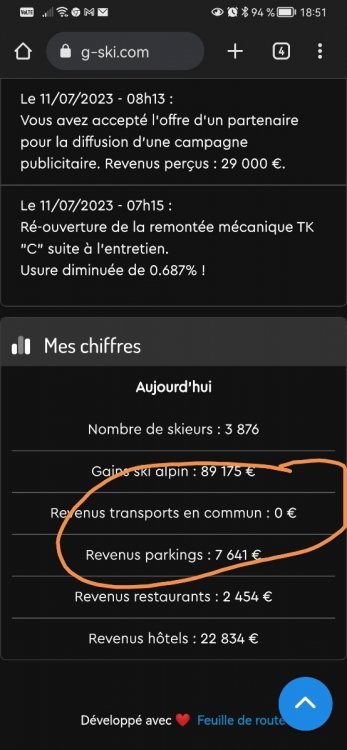
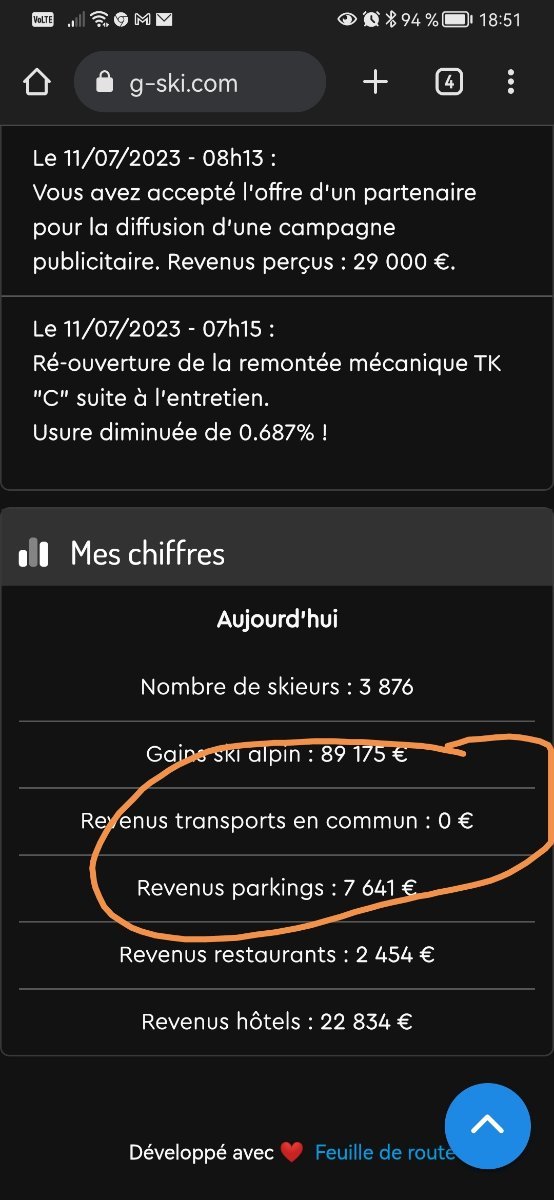
  1. Bonsoir Ce soir en regardant mes gains journalier je me suis aperçu que les gains des transports étaient à zéro Merci de votre aide
  2. Jejedrouvet a répondu à un(e) sujet de Jejedrouvet dans Prinoth
    Bonsoir Merci de la rapidité Bonne soirée
  3. Jejedrouvet a répondu à un(e) sujet de Jejedrouvet dans Prinoth
    Bonsoir Désolé pour le retard J'accepte la commande Merci Bonne soirée
  4. Jejedrouvet a posté un sujet dans Prinoth
    Bonjour je souhaiterai acheter 2 dameuses leitwolf 1 avec treuil et 1 sans treuil Les 2 full option Je procède un code de reduction FORUM1528BI Merci bonne journée
Account

Navigation

Rechercher

Configure browser push notifications

Chrome (Android)
  1. Tap the lock icon next to the address bar.
  2. Tap Permissions → Notifications.
  3. Adjust your preference.
Chrome (Desktop)
  1. Click the padlock icon in the address bar.
  2. Select Site settings.
  3. Find Notifications and adjust your preference.